|
 |
|
|
Philips Pronto Professional Family File Area
|
|
 |
|

10/10/25 - It’s been so long since we’ve last seen you!
10/24/22 - In searching for the perfect day, Timmy discovers something unexpected!
|
|
 |
|
|
The following page was printed from remotecentral.com:
In this section: A collection of full-color 640x480 and 240x320 resolution XCF files complete with devices, codes, macros, buttons and bitmaps!

| Page 5 of 6
|
System Layout Files Displaying entries 41 through 50, of 59 available.
Less is More!
Added by Julian Smith | 2007 | 13,763 views
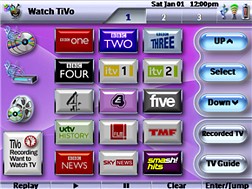
The design of this system is around users who are not familure with the cinema system set-up and users good interface design and walkthroughs to ensure a new user can use the system without prior training. This files also deals with the fact that Toshiba TV's do not have any descrete codes AV input select, etc: There are useful help screens links on pages where it is required in the event the system does not do as required due to the lack of the descrete codes. There is the added bonus of how to get TiVo to work if it is recording, which as TiVo users in the UK will know it only comes with one built in Tuner and if your TV does not have Freeview built in this system shows you how it can be configured with additional freeview box and TV and work seemlessly, again with the restraint of the Toshiba TV. The main thing is that this is designed for a less is more approach with nearly all techy stuff hidden away, so if you are after a design which is for a techy to administer there system this is not for you. If you are after a system which your wife, girlfriend, family or friends staying over can use without the need for long explainations or written instructions.
Designed for:
Philips Pronto Professional TSU9600
|
|
Showroom Remote Config
Added by Gary Stevens | 2007 | 13,674 views
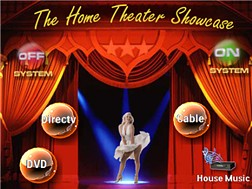
A first configuration for our new showroom.
Designed for:
Philips Pronto Professional TSU9600
|
|
Erik Hart's TSU9600
Added by Erik Hart | 2008 | 13,313 views
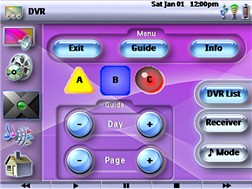
Basically a modified version of the stock philips files for use with the above equipment with the COX DVR menu buttons (ABC and such).
Designed for:
Philips Pronto Professional TSU9600
|
|
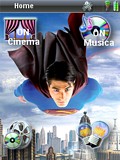
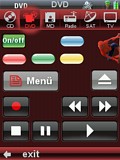
Roberto's Superman System
Added by Roberto | 2009 | 13,070 views
A complete Superman-themed system layout.
Designed for:
Philips Pronto Professional TSU9400
|
|
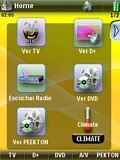
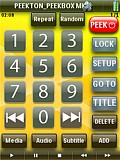
Enric's Media System
Added by Enric | 2008 | 12,883 views
I hope this file will be useful.
Designed for:
Philips Pronto Professional TSU9400
|
|
M�rio Lopes' Nevo/TSU9600 Combo
Added by M�rio Lopes | 2008 | 12,863 views
I got the idea from the TSU9600, some buttons from the Nevo and made a TSU9400 file!
Designed for:
Philips Pronto Professional TSU9400
|
|
Cosmicvoid's TSU9400 XCF
Added by Thomas Shearer | 2008 | 12,730 views
Updated version of my earlier XCF. Five activities, includes prontoscript warmup delay for DLP lamp in TV, and state tracking. Adds Onkyo Rcvr audio switching, and more buttons for cross-activity device control.
Designed for:
Philips Pronto Professional TSU9400
|
|
Joe's Australian TSU9400
Added by Joe | 2010 | 12,701 views
Recently updated. A full system configuration for Australian TV. Got a few more background pictures and a nicer transport layout.
Designed for:
Philips Pronto Professional TSU9400
|
|
Han de Konnigh's System XCF
Added by Han de Konnigh | 2013 | 12,260 views
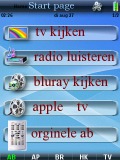
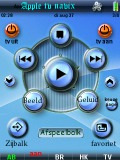
I have made it possible for you to always have the original remote in-hand! Includes XBMC Navi X. Check it out!
Designed for:
Philips Pronto Professional TSU9400
|
|
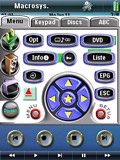
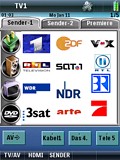
Andreas Schnitzler's TSU9400
Added by Andreas Schnitzler | 2010 | 12,147 views
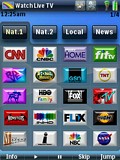
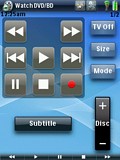
Not perfect at all, but very simple and functional to use. I've tried to "imitate" a typical surface of a standard remote control to one main page for every device in relatively same matter, so that handling is very similar for each device. Most of them can be changed simply by associating the right database item, the others have a hidden, relatively complete learned device page. Second, for some devices is added a very useful "ABC"-page (eg., to give recordings a title), so one must not type the numbers every time. The layout is a little bit small, so one might prefer using the stick, but fingertip works mostly with not too big fingers.
Designed for:
Philips Pronto Professional TSU9400
|
|
|
Search Remote Central's Files
Share with the remote control community
by uploading a file to Remote Central!
|
|
|
|
|