|
 |
|
|
Philips Pronto NG Family File Area
|
|
 |
|

10/10/25 - It’s been so long since we’ve last seen you!
10/24/22 - In searching for the perfect day, Timmy discovers something unexpected!
|
|
 |
|
|
The following page was printed from remotecentral.com:
In this section: A collection of 16-shade black & white and 16-bit full color PCF files packed with devices, codes, macros, buttons and bitmaps! Custom filter: Showing all available files from this and related sections. (Remove)

| Page 19 of 34
|
All Files - System Layout Files Displaying entries 181 through 190, of 340 available.
Craig Nix's v2.0 PCF
Added by Craig Nix | 2006 | 10,394 views
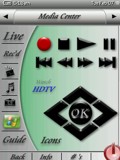
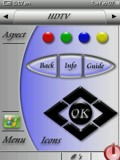
This time around I wanted to keep it simple and clean looking. Most remotes I program are for systems utilizing Media Center computers so there is the ability to switch to MCE in every screen. Once designed in this simplified looking way though, my next challenge was to secure the program by adding in a combination lock function to get into the learning and set-up functions of the remote. If someone is to download this and try to access the programming mode of the remote, they would need to toggle the screens to the right until they get to a programming access screen and enter in the code of 2006 in the on-screen keypad. This then opens up the programming mode. Very simplistic, but it keeps a customer out of relearning a particular button on an individual screen. All button functions that the customers access reference buttons on programming/learning pages that are hidden, so that reprogramming is more simple. Enjoy! More to come....
Designed for:
Philips ProntoPro NG TSU7000 & RU980
|
|
A7's PCF Setup
Added by A7 | 2007 | 10,391 views
A complete configuration with discrete codes, based on Daniel's TSU3000 config.
Designed for:
Philips Pronto NG TSU3000 & RU950
|
|
Brian Walker's Original PCF
Added by Brian Walker | 2004 | 10,348 views
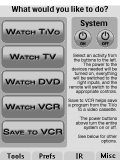
The graphics in this PCF are 98% original and are clean and simple, but effective. The overall layout is activity based and designed for ease of use. If you would like the original Photoshop files to mod for your own system, please e-mail me.
Paul's Beaker XP Wood
Added by Paul Austin | 2006 | 10,330 views
A combination of a few peoples buttons and styles with a few tweaks of my own. Based on a Windows XP look and feel with Mousie's buttons and a splash of David Shaw's "Forever Blue". I also give you all Photoshop content, so you can modify this to your heart's content.
Designed for:
Philips ProntoPro NG TSU7500 & RU990
|
|
Kevin's Brown Pound
Added by Kevin Magee | 2007 | 10,328 views
Configuration tries to match as closely as possible the actual factory remotes.
Designed for:
Philips ProntoPro NG TSU7000 & RU980
|
|
Matt Duggan's System
Added by Matt Duggan | 2004 | 10,200 views
A mixture of quite a few pre-existing templates, plus some new stuff. Graphics taken from Daniel Tonks' template.
Designed for:
Philips Pronto NG TSU3000 & RU950
|
|
Steve Martin's Comprehensive PCF
Added by Steve Martin | 2005 | 10,152 views
Unique design approach that attempts to include frequently used buttons on all panels and to minimize movement between panels. This is an update of my previous TSU7000 submission, with a more refined look. Other unique features include efficient navigation of 100 plus channel and music choice logos; extensive use of extended IR codes for Yamaha RX-V3300 including volume and home banks. See my extensive gallery files in the "Design Elements" file section!
Designed for:
Philips ProntoPro NG TSU7000 & RU980
|
|
Stuart Lindsay's Home System
Added by Stuart Lindsay | 2006 | 10,112 views
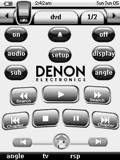
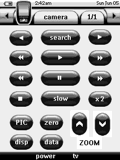
90% of the system is original content made by myself, some buttons have been borrowed from other systems (thanks), The system has been updated from my tsu1000 config file. The Denon & PS2 interfaces are graphical representations of their original remotes. Sky satellite channel numbers & DOG's are up to date as of December 05'.
Designed for:
Philips Pronto NG TSU3000 & RU950
|
|
Eelco van Vliet's TSU3000
Added by Eelco van Vliet | 2005 | 10,087 views
A complete system PCF file for the following components.
Designed for:
Philips Pronto NG TSU3000 & RU950
|
|
Dennis Wilkinson's Complete System
Added by Dennis Wilkinson | 2003 | 10,086 views
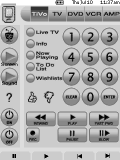
This is my first complete system PCF. It's a hybrid of an activity-oriented design and a device-oriented one, and all the graphics and bitmaps are my own, and are intentionally pretty simple looking. I tried to design this such that there was only one page per device, with the most-frequently used buttons assigned to the hard buttons.
Designed for:
Philips Pronto NG TSU3000 & RU950
|
|
|
Search Remote Central's Files
Share with the remote control community
by uploading a file to Remote Central!
|
|
|
|
|