The following page was printed from remotecentral.com:
In this section: A collection of 16-shade black & white and 16-bit full color PCF files packed with devices, codes, macros, buttons and bitmaps! Custom filter: Showing all available files from this and related sections. (Remove)

| Page 31 of 34
|
All Files - System Layout Files Displaying entries 301 through 310, of 340 available.
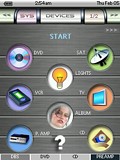
Contest Entry #12: Gizmo-Man
Added by Nas Gabelli | 2004 | 3,024 views
This is my attempt to design a unique configuration for the ProntoPro NG. I like to design devices that look similar to the original remote, so others could operate the remote with ease. The TOOL, DEVIVE and PAGE# labels have changed cosmetically. HARD-BUTTON 1 through 4 are reserved for instant access to frequently used devices. HOME and HARD-BUTTON 1-4 also function as page down when pressed again. For additional info, press the [?] button, where available. Note: Some buttons (lights and scene) are not programmed since there are many different ways to send X-10 signals. Also, toggle lights (in the SCENE section) does not work on current version of emulator(1.0.10.0), but works when downloaded to the ProntoProNG. Please download the PCF file and take a look. Unleash your creativity and copy, modify, add and edit to your liking!
Designed for:
Philips ProntoPro NG TSU7000 & RU980
|
|
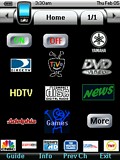
Contest Entry #30: Make It Work
Added by Robert Boazman | 2004 | 3,022 views
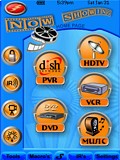
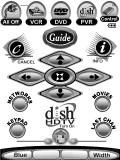
This is my first PCF design for the TSU7000. I created this design to accommodate my 6 year old son and my wife. Like most, she doesn't want to learn about all the equipment. As she says, "Just make it work." The design is simple to use and is based on our most frequently used activities. These icons are on almost all pages, DirecTV, TiVo and HDTV icons. Since some of the equipment, like the Yamaha, is new to me, I'll be adding functionality over time. Most pages have a browse back button, even though one is hard coded. Easy access to guides and info. A complete collection of CD cover art provides direct access to any CD. TiVo is used frequently. Buttons are built from stock Liatro buttons. Thanks to Daniel and all the Remote Central forum members and their designs. I borrowed from everyone. Special thanks to Dave D'Arche for the Pronto Wizard Guide. It saved me many hours and he was extremely helpful with my email questions.
Designed for:
Philips ProntoPro NG TSU7000 & RU980
|
|
Contest Entry #18: Syd7
Added by Scott Harris | 2004 | 3,020 views
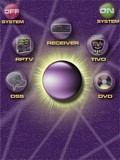
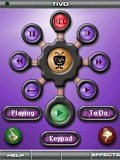
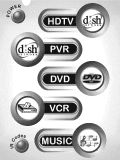
This PCF has all original graphics that make use of the transparency and colors available. Each device has a uniquely colored background for all of its related pages as well as a help screen to identify the functions of the cursor and its surrounding buttons. The layout is quite intuitive to use. The soft buttons are well sized and spaced to help avoid pressing the incorrect one.
Designed for:
Philips ProntoPro NG TSU7000 & RU980
|
|
Contest Entry #02: For Ever Blue
Added by David Shaw | 2004 | 2,935 views
RUNNER UP! This PCF is a modified version of the one I use on my remote. It has continued to change and be enhanced almost every day for two months! Most of the buttons have been redone several times to look right on the actual remote. Things you might miss a first glance are:
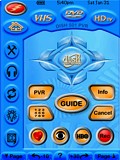
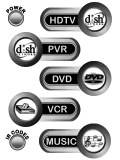
Buttons that blend into the background (on the side and top bars). Shadows on some buttons and text. On the actual remote the home page buttons actually seem to float above the background. In the “Power Center”, rocker switches that seem to work when pressed. All buttons have a “pressed” state. “Filmstrip” Dish Network TV icons on the favorite pages “Visual” independent lighting control for the Home Theatre. Password protection lockout sample on the home page; click on the padlock. Animated countdown timers runs in macros, giving user feedback to wait. Magnifying glass on help page. A tools “mini remote” page for the basic TV and AV receiver functions from most devices. Cursor buttons on the screen as well as the hard buttons. My wife likes the soft buttons and I like the hard buttons. One remote does it both ways! Full... (more)
Designed for:
Philips ProntoPro NG TSU7000 & RU980
|
|
Stephan Couillerot's Star Wars PCF
Added by Stephan Couillerot | 2006 | 2,923 views
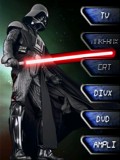
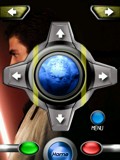
In the same vein of my previous submissions, here's a Star Wars version. Enjoy!
Designed for:
Philips ProntoPro NG TSU7000 & RU980
|
|
David Shaw's White PCF
Added by David Shaw | 2003 | 2,916 views
This is a "White" version of my Midnite PCF. There have been some new bitmaps added, many modified, and a few minor changes.Just about any page is only 2 or 3 button pushes away. I even used rocker switches for my power on and off buttons! It has been cetified as wife friendly. The PCF has been tested in the 3000 remote and most of the bitmaps had to be darkened for best viewing. There is a lot of difference between the simulator and the actual remote views.
Designed for:
Philips Pronto NG TSU3000 & RU950
|
|
Contest Entry #05: Digital Lifestyles
Added by Wesley Mullings | 2004 | 2,903 views
This remote features for the user: Inviting splash screen introduces the location of the remote, the designer, and features inviting background art. Color-coded functionality, allowing easy discernment between video and audio functions. The user may simply glance at the remote to find where they are. Directions are provided on pages that may need instructions to continue use. Subdued background art demonstrates the selected function without overpowering displayed buttons. Latching source buttons that glow to let the user know exactly where they are. Pages are titled to further assist the user in navigating through the remote. Sides of the touchscreen and hard buttons are reserved for consistent mode buttons. The center of the remote is the active use area. Maximum icons are used to minimize required reading. Text is provided only when icons will not suffice to explain the button’s function. Well-placed and sized buttons allow a wider variety of finger sizes to use it. Button placements are consistent, regardless of the function, source, or mode selected, allowing less required reading for the user during normal use. Always-available... (more)
Designed for:
Philips ProntoPro NG TSU7000 & RU980
|
|
Contest Entry #13: The Infrared Interstate
Added by Brad Ledford | 2004 | 2,870 views
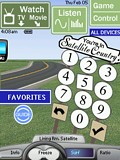
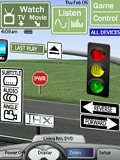
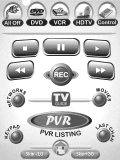
RUNNER UP! This is a completely custom PCF, with an emphasis on navigation and simplicity. The top area of the design remains consistent from one screen to the next, making operation of the remote fairly intuitive. An "All Devices" button on every screen gives the user access to a given device within two button presses. I've avoided duplicate buttons (like having 4-way toggles on screen) that might confuse novice users. All graphics (with the exception of the Favorites show icons) are 100% original.
Designed for:
Philips ProntoPro NG TSU7000 & RU980
|
|
Contest Entry #24: Simple Elegance
Added by Michael Burwen | 2004 | 2,866 views
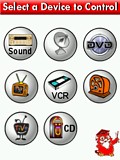
This design was created with specific ergonomic objectives in mind: - Ease-of-vision, particularly by senior citizens. This dictated using relatively large, primary-color icons against a white background. The color scheme was devised by Mr. Gary Hoover, a retired famous movie-industry colorist and graphic artist.
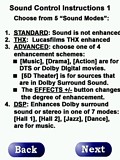
- To provide self-contained instructions. On each page, depressing the owl "professor" icon leads to one or more text instruction pages.
- No more than two screens to operate any single device.
- To use the hard buttons as much as possible.
- K.I.S.S. i.e., pass the "wife" test.
Most of the graphics are original and were created with Paint Shop Pro 8. The instruction screens were created with Photoshop Elements 2.0.
Designed for:
Philips ProntoPro NG TSU7000 & RU980
|
|
David Shaw's Light PCF
Added by David Shaw | 2003 | 2,826 views
This is a PCF for the Pronto 3000. It contains 99% original graphics in the 16 shade pronto palette. It also has several test pages for expermentation of graphics and different ideas. The background will be changed on future versions.
Designed for:
Philips Pronto NG TSU3000 & RU950
|
|
|
Search Remote Central's Files
Share with the remote control community
by uploading a file to Remote Central!
|