|
 |
|
|
Philips Pronto Classic Family File Area
|
|
 |
|

10/10/25 - It’s been so long since we’ve last seen you!
10/24/22 - In searching for the perfect day, Timmy discovers something unexpected!
|
|
 |
|
|
The following page was printed from remotecentral.com:
In this section: Hundreds of black & white and full color CCF files complete with devices, codes, macros, buttons and bitmaps! Custom filter: Showing all available files from this and related sections. (Remove)

| Page 25 of 87
|
All Files - System Layout Files Displaying entries 241 through 250, of 861 available.
John Corkery's Original ProntoPro
Added by John Corkery | 2003 | 12,295 views
This is a slightly more futuristic variation of my previous CCF and features "squishy chrome" buttons. Also, this is the first CCF I created while actually owning a ProntoPro, so I was more able to optimize the graphics for the ProntoPro LCD. Like my previous CCF, the IR codes should be very clean because they were generated with John Fine's CCF2EFC and MakeHex utilities. Updated with new devices.
Designed for:
Philips ProntoPro TSU6000 & RU970
|
|
Daniel Nguyen's Color CCF
Added by Daniel Nguyen | 2003 | 12,286 views
If there are anything beautiful about this CCF, they came from stuff which I borrowed from the many excellent designers found here (especially Daniel Tonks). The design is heavily based on Daniel's, but without any tabs. DVD case images abound, with some foreign language for Karaoke thrown in...
Designed for:
Philips ProntoPro TSU6000 & RU970
|
|
Andy Ehm's Pronto
Added by Andy Ehm | 2002 | 12,284 views
A complete system CCF file from Sweden with the following devices.
Designed for:
Philips Pronto TSU2000 & RU940
|
|
Everett's CCF
Added by Dave Everett | 2010 | 12,264 views
Borrowed some ideas and graphics, made some of my own. This file has discrete input codes for every input for the Marantz SR5004, SR6004, & SR7002 line, which I have not seen in any other file. (Got direct from manufacturer, not learned (because the factory remote doesn't even have them)). I found myself using the Device select button more than the Mute, so I reprogrammed Mute to take me to the Device selection screen. This file does not have "Watch TV", "Watch Movie", etc. macros, but they would be simple to add.
Designed for:
Philips Pronto TSU2000 & RU940
|
|
Caroline Summers's Sky CCF
Added by Caroline Summers | 2004 | 12,261 views
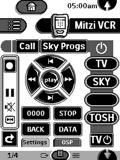
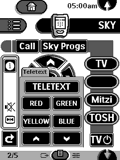
This configuration is designed for the Sky digital satellite user. Most panels give direct access to the various devices and sub-menus. Each device is contained on only two pages. Each page has TV on/off and other common buttons always in the same position for ease of use. Left hard button is used for changing TV extention and right hard button for screen size. I'm very pleased with it as it works very well and is very user-friendly. Home page shows devices on left for cinema room and devices on right for lounge.
Designed for:
Philips Pronto TS-1000 & RU890
|
|
Vince Pate's Pronto CCF
Added by Vince Pate | 1999 | 12,256 views
Includes a large selection of Sony devices and some macro magic.This configuration features help menus, compact VCR transport controls and tabbed station listings.
Designed for:
Philips Pronto TS-1000 & RU890
|
|
Andy Schmidt's CCF File
Added by Andy Schmidt | 2001 | 12,247 views
Uses buttons pilfered from Mr Tonks' handywork, except they change when pressed as opposed to the static originals. Also includes some more Canadian cable icons for local and premium channels. Tried to keep layout straightforward and consistent.
Designed for:
Philips Pronto TS-1000 & RU890
|
|
Brian Arnold's System CCF
Added by Brian Arnold | 2001 | 12,216 views
This is an extensive update to my system CCF. This is a device oriented CCF where ease of navigation and access to commonly used commands is optimized. All devices have their own IR code library and all codes are clean. Includes channel guides for digital cable and OTA HDTV.
Designed for:
Philips Pronto TS-1000 & RU890
|
|
Dieter Bermann's Original CCF
Added by Dieter Bermann | 2002 | 12,199 views
Keep it simple! So did I while creating my own buttons. No 3D, but a better readability with 2D-buttons.
Designed for:
Philips Pronto TS-1000 & RU890
|
|
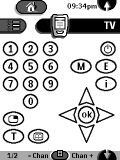
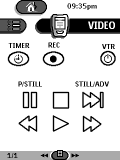
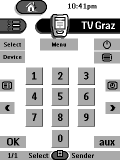
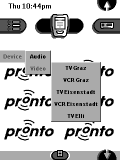
Chris' Austrian CCF File
Added by Christian Gossy | 2000 | 12,186 views
A complete system CCF featuring Austrian cable television station logos and a MD keyboard.
Designed for:
Philips Pronto TS-1000 & RU890
|
|
|
Search Remote Central's Files
Share with the remote control community
by uploading a file to Remote Central!
|
|
|
|
|