|
 |
|
|
Philips Pronto Classic Family File Area
|
|
 |
|

10/10/25 - It’s been so long since we’ve last seen you!
10/24/22 - In searching for the perfect day, Timmy discovers something unexpected!
|
|
 |
|
|
The following page was printed from remotecentral.com:
In this section: Hundreds of black & white and full color CCF files complete with devices, codes, macros, buttons and bitmaps!

| Page 30 of 76
|
System Layout Files Displaying entries 291 through 300, of 757 available.
Pawa'a CCF Setup
Added by Pawa | 2003 | 11,453 views
Features amp controls from all pages, a CD jukebox listing, help on every panel, musical theme from Terminator and more - but all in French!
Designed for:
Philips Pronto TS-1000 & RU890
|
|
Bill Lott's Complete System
Added by Bill Lott | 2002 | 11,428 views
Easy to use system with extensive use of macros and x-10 commands for 1 touch control of theater functions including audio, video, lighting, and bass shaker controls. Includes SuperNudelist for DVD and CD selections. Complete DVD jukebox functions. "Popcorn Box" icon on device screens functions to lower volume, pause movie, and raise lighting levels in theater. Resume feature reverses this procedure. Many thanks to all for graphics, programming, and macro ideas.
Designed for:
Philips Pronto TS-1000 & RU890
|
|
Kim Aubry's Macro Module
Added by Kim Aubry | 2002 | 11,419 views
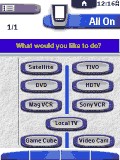
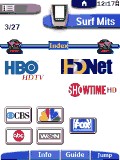
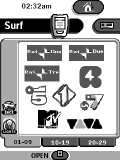
This system configuration can be best described as my idea of the perfect macro-module! Power On will only turn on what you would like to watch. Later, you can navigate to the "switch" panel. Choose the device you are currently watching. This will take you to a "switch to" panel. Since the remote now knows what you are currently watching, it knows which power/input actions to execute, in order to switch to your new device. The power off function works the same way. There are also DirecTV channel logos in a unique "Surf" section.
Designed for:
Philips ProntoPro TSU6000 & RU970
|
|
Simon Reidy's System
Added by Simon Reidy | 2002 | 11,392 views
A complete system CCF file that includes discrete codes or workarounds for all devices.
Designed for:
Philips Pronto TSU2000 & RU940
|
|
Costas Katsavounidis' CCF
Added by Costas Katsavounidis | 2000 | 11,386 views
Includes a calendar and discreet on/off codes for most devices. Used a few buttons & such from other files - thanks to the uploaders!
Designed for:
Philips Pronto TS-1000 & RU890
|
|
Anthony D'Acqusito's System CCF
Added by Anthony D'Acqusito | 2001 | 11,362 views
Updated. This is my complete system with some custom bitmaps and lots of borrowed ideas and buttons. Thanks to you all for the help. Includes X10 controls and PS2 remote.
Designed for:
Philips Pronto TSU2000 & RU940
|
|
Gert's Pronto CCF #1
Added by Gert | 2001 | 11,296 views
A complete system CCF file from Austria with the following devices:
Designed for:
Philips Pronto TS-1000 & RU890
|
|
Jay's CCF File
Added by Jay Mitchosky | 2002 | 11,226 views
This is a completely revamped version of my CCF. Many of the graphics have been streamlined, and popups/pullouts have been used for less frequently used buttons. The panels have also been reorganized, placing only source components under the Device bar with the remaining activities under the Macro bar.
Designed for:
Philips Pronto TS-1000 & RU890
|
|
Todd Derr's Pronto CCF
Added by Todd Derr | 1999 | 11,215 views
This is the first public release of my CCF for the Pronto. I'd like to thank Daniel and everyone else on Remote Central for contributing their CCFs and related artwork - I've certainly learned (and borrowed) a lot from them.
Designed for:
Philips Pronto TS-1000 & RU890
|
|
Ing Stuka's IHHC CCF
Added by Ing Stuka | 2002 | 11,213 views
This is my personal configuration for 1mb Pronto for my little home theatre system. Includes Italian local network logos. It is dedicated to my friends of the Italian newsgroup i.h.h.c. I hope you all enjoy it!
Designed for:
Philips Pronto TS-1000 & RU890
|
|
|
Search Remote Central's Files
Share with the remote control community
by uploading a file to Remote Central!
|
|
|
|
|