|
 |
|
|
Philips Pronto Classic Family File Area
|
|
 |
|

10/10/25 - It’s been so long since we’ve last seen you!
|
|
 |
|
|
The following page was printed from remotecentral.com:
In this section: Hundreds of black & white and full color CCF files complete with devices, codes, macros, buttons and bitmaps! Custom filter: Showing all available files from this and related sections. (Remove)

| Page 33 of 87
|
All Files - System Layout Files Displaying entries 321 through 330, of 861 available.
Frank Del Favero's System
Added by Frank Del Favero | 2003 | 11,540 views
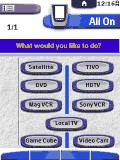
This is a highly intuitive CCF that even my wife can understand and use! It uses bitmaps that were created by a variety of authors (thanks guys!). The programming logic is pretty solid and it can be easily modified to work with your equipment. With this CCF it's easy to go from watching TV, to listening to music, using the VCR, or watching DVD's without having to turn everything off and restarting.
Designed for:
Philips Pronto TSU2000 & RU940
|
|
Anthony Sutton's Philips ProntoPro
Added by Anthony Sutton | 2001 | 11,539 views
Not an original CCF, but I did add color and customize to my needs.
Designed for:
Philips ProntoPro TSU6000 & RU970
|
|
Kim Aubry's Macro Module
Added by Kim Aubry | 2002 | 11,527 views
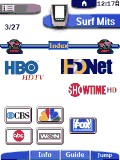
This system configuration can be best described as my idea of the perfect macro-module! Power On will only turn on what you would like to watch. Later, you can navigate to the "switch" panel. Choose the device you are currently watching. This will take you to a "switch to" panel. Since the remote now knows what you are currently watching, it knows which power/input actions to execute, in order to switch to your new device. The power off function works the same way. There are also DirecTV channel logos in a unique "Surf" section.
Designed for:
Philips ProntoPro TSU6000 & RU970
|
|
Bill Lott's Complete System
Added by Bill Lott | 2002 | 11,517 views
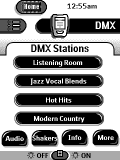
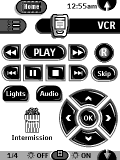
Easy to use system with extensive use of macros and x-10 commands for 1 touch control of theater functions including audio, video, lighting, and bass shaker controls. Includes SuperNudelist for DVD and CD selections. Complete DVD jukebox functions. "Popcorn Box" icon on device screens functions to lower volume, pause movie, and raise lighting levels in theater. Resume feature reverses this procedure. Many thanks to all for graphics, programming, and macro ideas.
Designed for:
Philips Pronto TS-1000 & RU890
|
|
Jeff Bernardis' RM-AV2100 Layout
Added by Jeff Bernardis | 2003 | 11,513 views
My new CCF that mimics Sony RM-AV line.
Designed for:
Philips Pronto TSU2000 & RU940
|
|
Costas Katsavounidis' CCF
Added by Costas Katsavounidis | 2000 | 11,481 views
Includes a calendar and discreet on/off codes for most devices. Used a few buttons & such from other files - thanks to the uploaders!
Designed for:
Philips Pronto TS-1000 & RU890
|
|
Pete Thornhill's Custom RC5000i
Added by Pete Thornhill | 2001 | 11,478 views
New CCF built from scratch with all new panels, tabs, and buttons. Complete except for a help file.
Simon Reidy's System
Added by Simon Reidy | 2002 | 11,466 views
A complete system CCF file that includes discrete codes or workarounds for all devices.
Designed for:
Philips Pronto TSU2000 & RU940
|
|
Anthony D'Acqusito's System CCF
Added by Anthony D'Acqusito | 2001 | 11,445 views
Updated. This is my complete system with some custom bitmaps and lots of borrowed ideas and buttons. Thanks to you all for the help. Includes X10 controls and PS2 remote.
Designed for:
Philips Pronto TSU2000 & RU940
|
|
Aaron Hughart's Color CCF
Added by Aaron Hughart | 2001 | 11,403 views
Pro version of my ccf. Used a Mac "Aqua" theme. Added a "TV Guide" tab to my Directory Macro which lists weekly programs for each day of the week. Replaced my mini-system with a Technics A/V receiver and an MP3 player. Added a directory of CDs with cover pictures. Changed the Pop up Menus to a transparent look. File also includes a Gallery of all buttons, tabs, etc.
Designed for:
Philips ProntoPro TSU6000 & RU970
|
|
|
Search Remote Central's Files
Share with the remote control community
by uploading a file to Remote Central!
|
|
|
|
|