|
 |
|
|
Philips Pronto Classic Family File Area
|
|
 |
|

10/10/25 - It’s been so long since we’ve last seen you!
10/24/22 - In searching for the perfect day, Timmy discovers something unexpected!
|
|
 |
|
|
The following page was printed from remotecentral.com:
In this section: Hundreds of black & white and full color CCF files complete with devices, codes, macros, buttons and bitmaps!

| Page 54 of 76
|
System Layout Files Displaying entries 531 through 540, of 757 available.
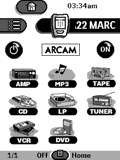
Simon Callis' Arcam CCF
Added by Simon Callis | 2005 | 8,737 views
This file contains buttons and code for most used features for the following components.
Designed for:
Philips Pronto TS-1000 & RU890
|
|
Nate Goplen's Onkyo CHAD
Added by Nate Goplen | 2002 | 8,721 views
This is a complete working CCF that does everything for you. So simple, my 4 year old boy can work the entire system! (Amazingly enough, so can my wife!) Includes lots of discretes, a full CD list & good DSP control. P.S. Like everyone else, I am claiming no originality on the graphics.
Jason Winspear's CCF
Added by Jason Winspear | 2002 | 8,719 views
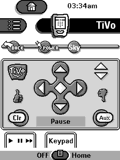
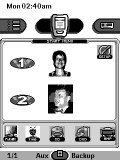
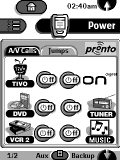
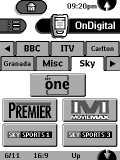
Special 'simplified' feature for my girlfriend with her section of remote. Full set of discrete power codes and jumps between functions. TV macros for both TiVo and OnDigital channels.
Designed for:
Philips Pronto TSU2000 & RU940
|
|
Mike's Pronto
Added by Mike Johnson | 1999 | 8,713 views
This is a complete system including discrete power codes for all devices.
Designed for:
Philips Pronto TS-1000 & RU890
|
|
Darren Demers' Easy-To-Use CCF
Added by Darren Demers | 2000 | 8,709 views
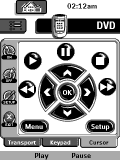
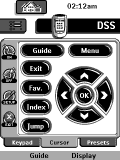
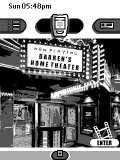
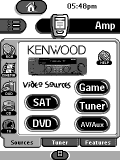
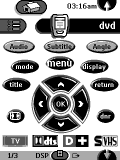
I have hundreds of painstaking hours in this CCF. I changed it a few times to keep up with my replacement components. This is my attempt at creating an easy to use interface for my A/V system. Even a Sasquatch could use this thing! I went overboard on programming DSS channels too! I use MANY Macros to automate what would have taken 3-5 remotes, eliminating remote anxiety. Switching from watching DVD Theater to playing a DreamCast game is possible with just 1 button.
Designed for:
Philips Pronto TS-1000 & RU890
|
|
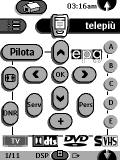
Fabrizio Buzzi's Italian CCF
Added by Fabrizio Buzzi | 2001 | 8,706 views
A basic CCF with the following devices.
Designed for:
Philips Pronto TS-1000 & RU890
|
|
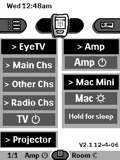
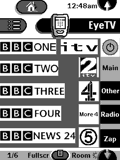
Georgio's Mac Mini Home Theater
Added by Georgio Coulouris | 2006 | 8,689 views
This will mainly be of interest to Mac-heads. I couldn't find any CCFs for the Elgato remote so I made the Pronto learn them. The Mac Mini remote codes are taken from and iPod remote file that I found on Remote Central. I like the Apple remote so much that I still use it in preference to the Pronto most of the time - it makes the Pronto seem very old-fashioned and clunky. For the EyeTV tuner there are screens that replicate all the buttons on the remote. I've made several other screens to give direct touchscreen access to all the main channels on UK Freeview terrestrial digital TV (which I access through an EyeTV 410). The channel buttons just send the codes for the relevant channel numbers. You may need to change them since the channel numbers are differnet in different parts of the country.
Designed for:
Philips Pronto TS-1000 & RU890
|
|
Richard Pulit's System CCF
Added by Richard Pulit | 2004 | 8,670 views
This ccf file contains the complete layout for the Onkyo Chad remote with the 3 device buttons programmed.
Gary Werth's Custom Pronto
Added by Gary Werth | 2000 | 8,667 views
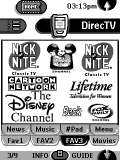
Complete CCF with macros on home panels. Unique channel logo set up withborrowed tabs from Daniels CCF that enable easier access to surfing.
Designed for:
Philips Pronto TS-1000 & RU890
|
|
Rich Williamson's DishNet CCF
Added by Rich Williamson | 2000 | 8,655 views
This CCF will be of interest to those users with DishNet satellite or like simplicity. Each device has menu tabs for quick switching between devices and scroll up/down arrows. Channel buttons are a bit small, but work fine with a stylus. File also contains custom BMP files.
Designed for:
Philips Pronto TS-1000 & RU890
|
|
|
Search Remote Central's Files
Share with the remote control community
by uploading a file to Remote Central!
|
|
|
|
|