|
 |
|
|
Philips Pronto Classic Family File Area
|
|
 |
|

10/10/25 - It’s been so long since we’ve last seen you!
10/24/22 - In searching for the perfect day, Timmy discovers something unexpected!
|
|
 |
|
|
The following page was printed from remotecentral.com:
In this section: Hundreds of black & white and full color CCF files complete with devices, codes, macros, buttons and bitmaps! Custom filter: Showing all available files from this and related sections. (Remove)

| Page 59 of 87
|
All Files - System Layout Files Displaying entries 581 through 590, of 861 available.
Brock Landers' User Friendly CCF
Added by Brock Landers | 2001 | 8,788 views
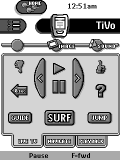
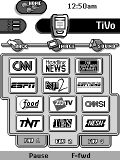
Nicely laid out design, complete with macros and discrete codes (all found on this site) extremely user friendly. If you have DirecTV with TiVo, check this out! Highly used TiVo commands accessible from all channel menu pages. All images borrowed and manipulated. Many thanks to everyone at this site.
Designed for:
Philips Pronto TSU2000 & RU940
|
|
Dan Kaps' First Pronto
Added by Dan Kaps | 2001 | 8,784 views
This is an update to my previous config. (I used button graphics included in the ProntoProEdit software.)
Designed for:
Philips Pronto TS-1000 & RU890
|
|
Michael Barbalic's Pronto CCF
Added by Michael Barbalic | 2001 | 8,775 views
A complete system CCF that uses discrete codes where possible.
Designed for:
Philips Pronto TSU2000 & RU940
|
|
Mike Randall's Big Button CCF
Added by Mike Randall | 2002 | 8,758 views
It's not really "pretty", it's got Big Buttons for Big Fingers and not much else. A tabbed design with 7 actual devices, combined into one virtual device with all panels hidden, everything jumps you to where you need to go next. One tab allows you to access the main panel for each device if needed. Home page is a borrowed Matrix BMP with access to a clean screen and a couple of “hidden” buttons that activate-deactivate an X-10 Security Camera after everything else is shut off. Includes panels with all Panasonic codes, downloaded from the files section.
Designed for:
Philips Pronto TS-1000 & RU890
|
|
Scott Triola's Custom Configuration
Added by Scott Triola | 2001 | 8,742 views
This CCF has been designed to be relatively simple and user friendly. Macros up front are optimized for other not familiar with the setup of my system. There are no unnecessary graphics and each device is limited to 3 screens for ease of scrolling.
Designed for:
Philips Pronto TS-1000 & RU890
|
|
Greg Staten's Pronto Setup
Added by Greg Staten | 1999 | 8,729 views
This complete system ccf uses Dale Crawford's interface design with newtransport buttons for the TiVo and more channel bitmaps. The DSS is not directly controlled, but is driven through the TiVo. Please read the included Read Me for additional details.
Designed for:
Philips Pronto TS-1000 & RU890
|
|
Daryl Lloyd's CCF File
Added by Daryl Lloyd | 2001 | 8,722 views
This ccf is an original design except the Pioneer CD, Copy, Cd List and Lights device panels; those I edited to my taste. Nothing fancy but maybe it can be useful. The A/B buttons on the JVC 1 panel operate my external Radio Shack remote controled A/B Switch.
Designed for:
Philips Pronto TS-1000 & RU890
|
|
Aaron Cicali's Custom CCF
Added by Aaron Cicali | 2000 | 8,720 views
This activity-based CCF has original graphics and includes a security panel which requires a 4-digit code for access (2419). There's also a "clean-up" button which turns off all unused components, depending on the current panel.
Designed for:
Philips Pronto TS-1000 & RU890
|
|
Ryan Llb's UK System
Added by Ryan Llb | 2001 | 8,720 views
A complete system CCF file lovingly crafted to be easy to navigate and complete tasks simply. Including up-to-date (14/03/01) channel images for DTT via OnDigital in the UK.
Designed for:
Philips Pronto TS-1000 & RU890
|
|
Mark Elias' Home Theater
Added by Mark Elias | 2000 | 8,718 views
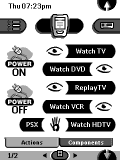
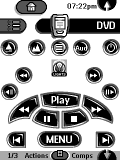
Nice looking CCF with easy buttons and tabs. Very easy to navigate between components. Many icons for easy Dish Network & Dish HD surfing, Sony DVD, receiver Sony VHS and Toshiba HD TV. Thanks to all the people on this website who have uploaded thir CCF's to help others like me put something fun together.
Designed for:
Philips Pronto TS-1000 & RU890
|
|
|
Search Remote Central's Files
Share with the remote control community
by uploading a file to Remote Central!
|
|
|
|
|