The following page was printed from remotecentral.com:
In this section: Our complete collection of high resolution system files for the Philips iPronto, packed with bitmaps, macros and commands. Custom filter: Showing all available files from this and related sections. (Remove)

| Page 3 of 7
|
All Files - System Layout Files Displaying entries 21 through 30, of 61 available.
Thiago Ramos Fanfoni's ICF
Added by Thiago Ramos Fanfoni | 2004 | 11,034 views
This is my first (and probable last) ICF, because I made this ICF with Macromedia Fireworks and I need Adobe Photoshop to increase my images... but I don't have a decent computer to run the software at work, and I won't work at home! I hope that you enjoy this configuration.
Kees' NAVcontrol
Added by Kees van der Meer | 2004 | 11,023 views
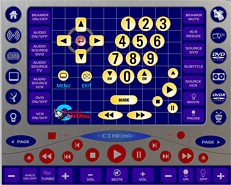
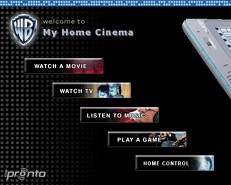
V1.20 This ICF also contains a unique Cinema panel layout with all important controls on a single page, with shortcuts on every page to other components. Includes an interface for wireless X-10 lighting devices. NEW FEATURES: New Home page with shortcuts and macro buttons, TV main and icon page with logos (you can add more icon pages) with teletext buttons. Home Cinema page. All pages have navigation buttons and combined buttons for A/V and lighting devices.
Matt's Crestron-Style Interface
Added by Matt Crawford | 2006 | 10,529 views
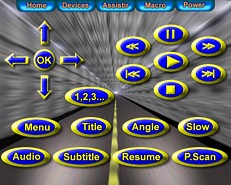
Much work has gone into the graphical side of this ICF and it is in constant progress, all buttons created in X3d5, most with status changes, an update is to follow.
Cinergi's iPronto ICF
Added by Cinergi | 2003 | 10,460 views
A complete iPronto ICF file with the following devices.
Dark Design
Added by Starwarp | 2008 | 10,104 views
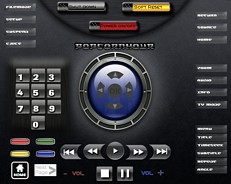
A complete system file in Dark Design for Popcorn Hour. The other device panels look like Van der Meer's design. The Popcorn Hour device features codes for Reboot, Power Off and screen resolution for HDMI and Composite.
Steve Merritt's Home Theater
Added by Steve Merritt | 2004 | 9,906 views
On the home page there is two separate macros for turning some of the kit on/off. All other buttons are links elsewhere. In addition to standard commands, the amp device contains a couple of macros for setting screen input, amp inputs, DTS/Dolby settings etc. Used to control the following devices:
Keith Smith's System Setup
Added by Keith Smith | 2005 | 9,882 views
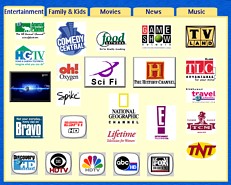
A great setup with DirecTV logos and HD channels for the New York area, plus the best movies ever made. See my collection file for more television logos.
Neil Watts' Custom ICF
Added by Neil Watts | 2004 | 9,611 views
This is my current work-in-progress ICF with custom home page background (temporary borrowed action graphics) and re-jigged default device pages. Items still to be done are Sky channel logo selections, HTPC device using Theatertek & Girder, renew Home page action buttons and generally improve graphics over time.
Doug's Dashboard
Added by Doug @ ClearlyResolved | 2004 | 9,224 views
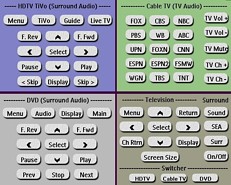
The key point of interest here is the pseudo "four up" page that I've created and dubbed "the Dashboard." This is designed to be the primary viewing screen for the iPronto remote user, and because this particular equipment configuration has only three activities (HDTV, DVD and Cable), the four-pane display really works well. The descriptive labels above each of the sections in the Dashboard display are actually buttons that can be clicked to take the user to a full-page display of controls for that particular activity/component. The full-page display replicates the same buttons in the upper right corner to match the corresponding panel of the Dashboard. In addition, each of the Expanded pages provides most, if not all, of the buttons for the corresponding original remote control. Each expanded page includes macros at the bottom to switch to one of the two other activities, or to return to the Dashboard, as applicable. All macros (except System Off) take the user back to the Dashboard. The Switcher at the bottom of the Dashboard also allows jumping from one activity to another. The macros here working discrete codes, so the switching among components and TV and surround sound is pretty foolproof. The same macros, along with a System Off macro are included on the home page.
Joey Cestra's "Simplify..."
Added by Joey Cestra | 2005 | 9,203 views
Borrowed buttons and borrowed border pallate, this system rocks, all the backgrounds are either photographs shot by myself or 3D art created by myself with various programs, (you can find my stuff on conrnucopia3d), so easy to use, the wifey even uses it! I hope all enjoy, I just updated the xbox section for my new toy, the 360. I am already working on another for the holidays... I love this thing! |
Search Remote Central's Files
Share with the remote control community
by uploading a file to Remote Central!
|