|
 |
|
|
Philips Pronto NG Family File Area
|
|
 |
|

10/10/25 - It’s been so long since we’ve last seen you!
10/24/22 - In searching for the perfect day, Timmy discovers something unexpected!
|
|
 |
|
|
The following page was printed from remotecentral.com:
In this section: A collection of 16-shade black & white and 16-bit full color PCF files packed with devices, codes, macros, buttons and bitmaps!

| Page 13 of 24
|
System Layout Files Displaying entries 121 through 130, of 239 available.
Ryan Wright's System Setup
Added by Ryan Wright | 2004 | 11,190 views
First, a special thanks to Andre' du Frense for the exceptional graphics in Retro Gold and Unimod as well as Scott Harris for the DirecTV channel Logos. I set up my activity based configuration file for as little jumping back and forth as possible.
Designed for:
Philips ProntoPro NG TSU7000 & RU980
|
|
Matt Mellor's Aussie TSU7000
Added by Matt Mellor | 2006 | 11,177 views
In this configeration i used some of the icons from Daniel Tonks version of the 6000 and 7000 and combined so you can see through the device buttons into the background. I also have Australian FTA TV channels and radio icons for melbourne. There is a sleep section which guides you through the steps and set the timer on the reciever and tv, and a zone 2 section to activate the second set of speakers smoothly.
Designed for:
Philips ProntoPro NG TSU7000 & RU980
|
|
Ludovic Hauduc's Quick Switching PCF
Added by Ludovic Hauduc | 2004 | 11,105 views
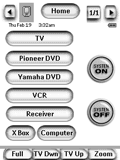
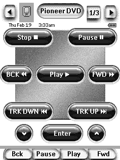
My previous remote was the venerable Sony RM-AV2100 and, truth be told, it's hard to beat the simple concept of being able to switch to any component from any page. So, I decided to base my new design on that idea, using the wonderful graphics from Daniel Tonks' design. The top of every page contains 10 icons leading to the main device pages. Switching to a new component does not set the inputs; a second press on the device icon is required to do that.
Designed for:
Philips Pronto NG TSU3000 & RU950
|
|
J.J. Aristy's Layout
Added by Juan Jose Aristy | 2006 | 11,020 views
Daniel's TSU3000 configured to my devices with a few changes.
Designed for:
Philips Pronto NG TSU3000 & RU950
|
|
Herb's PCF v7.06.01
Added by Herb Crane | 2005 | 11,010 views
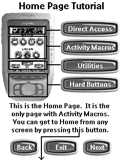
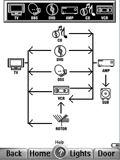
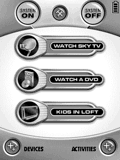
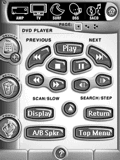
Like my previous version but with the following improvements. Thanks to all contributors for ideas and bmps especially Daniel. - Better DVD sleeve picture macros - Wait screens on macros - Graphical Switching/Power page - Screen clean page - User tutorial - Hard button identifier pages - Floorplan based lighting controls
Designed for:
Philips Pronto NG TSU3000 & RU950
|
|
Adam Holt's Setup
Added by Adam Holt | 2004 | 10,902 views
A modified version of Daniel Tonks' brilliant TSU3000 configuration for a Marantz RC5400. Complete with all New Zealand TV logos and Auckland NZ Radio Stations.
Satrapo1's Home Theater System
Added by Satrapo1 | 2011 | 10,888 views
A complete home theater setup designed for the Marantz RC9500 remote.
Richard Reed's PCF File
Added by Richard Reed | 2003 | 10,872 views
This is a 3000 file which uses lots of linking and discrete codes. I made this file to use while I build new buttons and wait for software updates to be able to do what this remote is capable of. Thanks to all for the buttons and icons I have used.
Designed for:
Philips Pronto NG TSU3000 & RU950
|
|
Rick Lohr's TSU3000
Added by Rick Lohr | 2004 | 10,840 views
This file has the following strengths: simple interface suitable for kids/wives; large easily read fonts/buttons on all screens; control of TV, Receiver, & Switcher; inputs with single button for each device; immediate and time delayed system power off; uses easily modified buttons and labels that come with ProntoEdit NG.
Designed for:
Philips Pronto NG TSU3000 & RU950
|
|
Rossi's Remote
Added by Eduardo Rossi | 2007 | 10,827 views
This is nothing more than Adam Bursey's design (posted here), adapted to my devices, and simplified a bit for my wife to play with it. It's a very functional and easy to use setup, divided by ACTIVITY and not by component. TV, for example will have controls for TV, Receiver and cable box. It has a simple screen for every activity and then all the other controls used less often in separate menus. There is some use of macros. Enjoy and feel free to tweak it around and post your version here.
Designed for:
Philips Pronto NG TSU3500 & RU960
|
|
|
Search Remote Central's Files
Share with the remote control community
by uploading a file to Remote Central!
|
|
|
|
|