The following page was printed from remotecentral.com:
In this section: Hundreds of black & white and full color CCF files complete with devices, codes, macros, buttons and bitmaps! Custom filter: For those with classic black and white LCD models, this section is our largest yet. (Remove)

| Page 17 of 72
|
Black & White Remotes - System Layout Files Displaying entries 161 through 170, of 719 available.
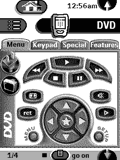
Jeff Meyer's CCF Setup
Added by Jeff Meyer | 2003 | 13,059 views
I used the gallery included in Alan Minchew's CCF for most of this configuration. Some of the logos came from elsewhere.
Designed for:
Philips Pronto TS-1000 & RU890
|
|
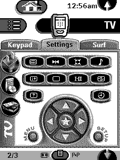
Burkhard's Pronto CCF
Added by Burkhard Germer | 2001 | 13,055 views
Due to my move to a new apartment, where I can receive many more television and radio stations, I think it's time to post my CCF again. It has undergone lots of changes and additions to the one from January 2000. Everything is "stolen" from this page, so I'd like to thank all the people I grabbed ideas from.
Designed for:
Philips Pronto TS-1000 & RU890
|
|
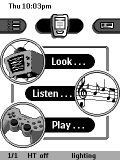
John Sully's Pronto
Added by John Sully | 2000 | 13,031 views
This is a complete makeover of my previous CCF. It now supports the Toshiba TW40X81 television and the Pioneer PD-F19 megachanger. The TV supports some useful "magic" codes learned from a Cinema 7.
Designed for:
Philips Pronto TS-1000 & RU890
|
|
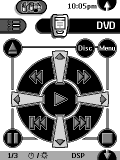
Joseph Shovlin's System
Added by Joseph Shovlin | 2004 | 13,029 views
A complete system CCF file for the following devices.
Designed for:
Philips Pronto TS-1000 & RU890
|
|
Patrick Mourava's Home Theater
Added by Patrick Mourava | 2000 | 12,970 views
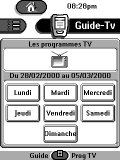
Complete system CCF file from France with a built-in TV guide.
Designed for:
Philips Pronto TS-1000 & RU890
|
|
Ed Sanders' TSU2000 CCF
Added by Ed Sanders | 2001 | 12,941 views
A complete system CCF with the following devices.
Designed for:
Philips Pronto TSU2000 & RU940
|
|
Kenneth Watt's UK Cinema
Added by Kenneth Watt | 2000 | 12,908 views
This is the most up-to-date CCF I have done. It includes the full command set for the Yamaha DSP-AX1.
Designed for:
Philips Pronto TS-1000 & RU890
|
|
James Holdsworth's RC5000 Remote v3
Added by James Holdsworth | 2008 | 12,902 views
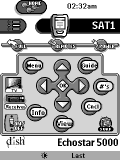
Updated version of V2 which was inspired by one by Jim Hughes on Remote Central. Added projector and upscaling box as well as some more macros. Effectively replaces V2. Complete codes for the remotes replicated in the hidden 'source' panels, the main panels have been made with ease of use in mind.
Remo Martinelli's Swiss Layout
Added by Remo Martinelli | 2003 | 12,856 views
This is my newest configuration including a calendar, a CD-list for a Technics 110+1 Jukebox (with direct choice for each song) and a CD cover section. I've got the layout from multiple CCF files from this section (and the b+w graphics from Daniel).
Designed for:
Philips Pronto TSU2000 & RU940
|
|
Adrian's Custom Pronto
Added by adrian ballard | 2000 | 12,840 views
This CCF took forever. All graphics are original or modifed (thanks Darnitol). Includes every discrete code I could find that would work with these components as well as X-10 commands. Also includes a "midnight mode" macro for the DSP-A1 that works flawlessly. Uses both hidden and public panel options for navigation.
Designed for:
Philips Pronto TS-1000 & RU890
|
|
|
Search Remote Central's Files
Share with the remote control community
by uploading a file to Remote Central!
|