|
 |
|
|
Philips Pronto Classic Family File Area
|
|
 |
|

10/10/25 - It’s been so long since we’ve last seen you!
10/24/22 - In searching for the perfect day, Timmy discovers something unexpected!
|
|
 |
|
|
The following page was printed from remotecentral.com:
In this section: Hundreds of black & white and full color CCF files complete with devices, codes, macros, buttons and bitmaps! Custom filter: For those with classic black and white LCD models, this section is our largest yet. (Remove)

| Page 52 of 72
|
Black & White Remotes - System Layout Files Displaying entries 511 through 520, of 719 available.
Simon Block's Layout
Added by Simon Block | 2005 | 8,605 views
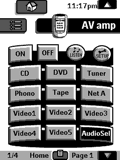
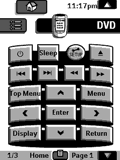
The Amp has discrete codes (nice). The TV codes are hard to find and I had to learn them from a IPaq PDA that had them in the Nevo application database. The TV code may need to be cleaned up but work! All remote functions are included for all components. I never had the original TV remote so I don't know if is complete.
Designed for:
Philips Pronto TS-1000 & RU890
|
|
Gary Werth's Custom Pronto
Added by Gary Werth | 2000 | 8,602 views
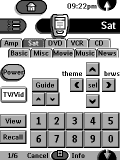
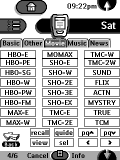
Complete CCF with macros on home panels. Unique channel logo set up withborrowed tabs from Daniels CCF that enable easier access to surfing.
Designed for:
Philips Pronto TS-1000 & RU890
|
|
Richard Pulit's System CCF
Added by Richard Pulit | 2004 | 8,598 views
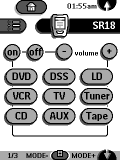
This ccf file contains the complete layout for the Onkyo Chad remote with the 3 device buttons programmed.
Meir Gottleib's Original CCF Design
Added by Meir C. Gottlieb | 2002 | 8,590 views
This is a simple, functional configuration and gallery file for the Philips Pronto that features a tabbed interface with large 3D buttons, a very usable menu driven cable guide, X-10 controller with PCS scenes, and a picture of my dog. Although this is an original configuration, the buttons are descendants of buttons I found on the msn.com home page. The TV logos came from remotecentral.com.
Designed for:
Philips Pronto TSU2000 & RU940
|
|
Rich Williamson's DishNet CCF
Added by Rich Williamson | 2000 | 8,583 views
This CCF will be of interest to those users with DishNet satellite or like simplicity. Each device has menu tabs for quick switching between devices and scroll up/down arrows. Channel buttons are a bit small, but work fine with a stylus. File also contains custom BMP files.
Designed for:
Philips Pronto TS-1000 & RU890
|
|
Andy Beitel's CCF
Added by Andy Beitel | 2001 | 8,580 views
I've spent quite some time massaging this ccf to get it just right, and here is the final version. Just a big thank you to everyone whose ccf I borrowed from. I've modified this file to be asautomated as possible.
Designed for:
Philips Pronto TSU2000 & RU940
|
|
Andr� du Fresne's Pronto Setup
Added by Andr� du Fresne | 1999 | 8,572 views
A German CCF that is mostly frame-based, so that you have a Nav-Bar on the top of the screen. With this you can easily switch to other devices. Furthermore, there are German broadcast logos including the new Premiere-World Logos.
Designed for:
Philips Pronto TS-1000 & RU890
|
|
Matthew Clayton's Pronto Setup
Added by Matthew Clayton | 1999 | 8,553 views
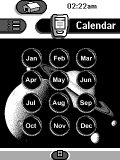
Star Trek PADD inspired. Black background; all keys aliased on hidden panels; advanced panel navigation with direct access to other panels.
Designed for:
Philips Pronto TS-1000 & RU890
|
|
Chris Sculthorpe's Pronto CCF
Added by Chris Sculthorpe | 2001 | 8,520 views
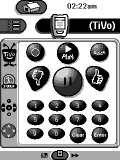
This configuration is based around Daniel Tonks' layout. I tweaked Dan Haddix's TiVo screens to give it the same look and feel as Daniel's and used all discrete codes where possible.
Designed for:
Philips Pronto TS-1000 & RU890
|
|
Ryan Cox's Minimalist CCF
Added by Ryan Cox | 2002 | 8,500 views
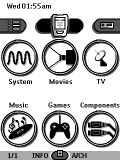
This is a clean, minimalist setup. Main page uses graphics for each task. Plenty of macros to power on/off system, watch video on TV or Projector, listen to music, play games, etc. Also allows for component control. Great for other family members that don't wish to learn components and inputs. |
Search Remote Central's Files
Share with the remote control community
by uploading a file to Remote Central!
|
|
|
|
|